Forms for Obsidian
Publish beautiful forms and get responses straight to your Obsidian vault.
Over the past few months, I made a big shift: I moved all my note-taking from Google Keep, Apple Notes, and Notion to Obsidian. Why? Because I wanted full control over my data.
But I didn’t stop there. I wanted to do even more with Obsidian so I needed to find an alternative to Google Forms or Notion Forms. Hence, I launched Forms, an Obsidian plugin that lets you publish beautiful forms and receive responses directly in your vault, in markdown format. No third-party services, no data silos.
It’s basically an alternative to Google Forms + Sheets or Typeform, but fully integrated into Obsidian. Now you can create and collect form responses directly in your vault, keeping everything local and organized.
Install from Obsidian · GitHub
How it works
Link a folder from your Obsidian vault and use the web interface to easily create, edit, and manage forms. Obsidian will sync automatically, so all your filled form entries stay up to date in your vault.
1. Choose a vault folder. Select where you want form responses to be stored. Forms can be created from the left ribbon icon or from the folder’s right-click menu.
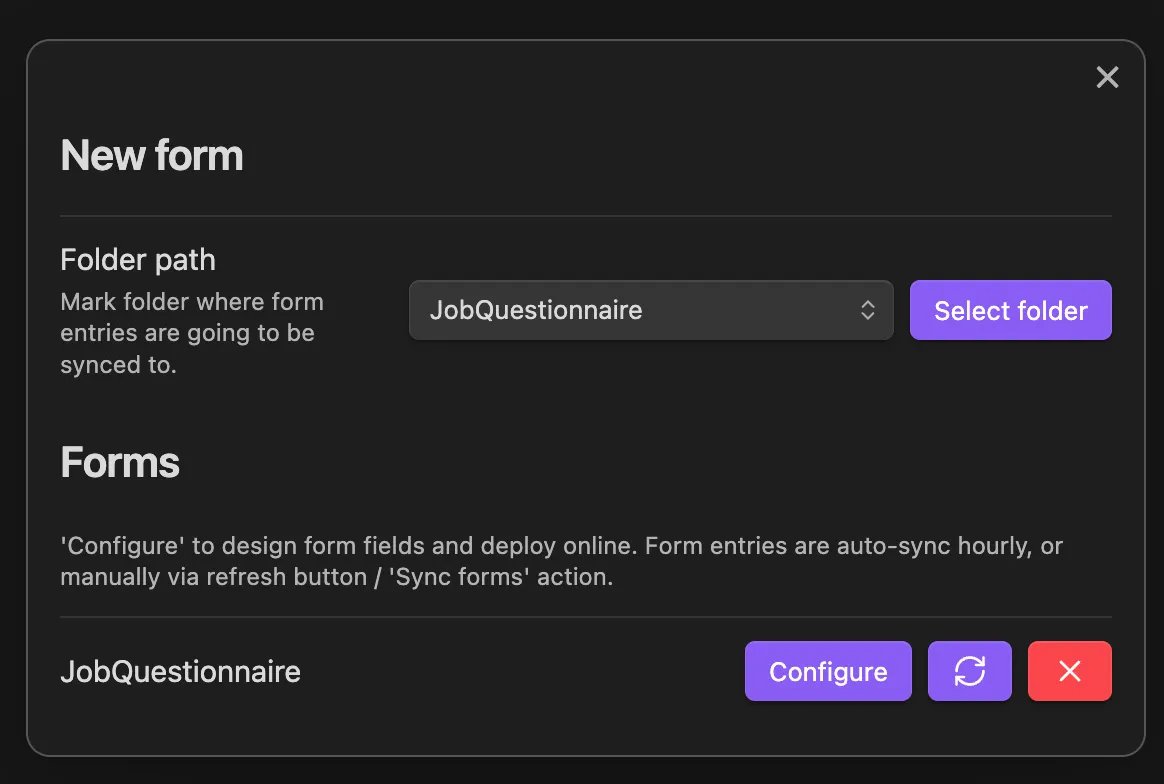
2. Design your form. Link the form with your account on the website and use the web interface to add and customize fields.
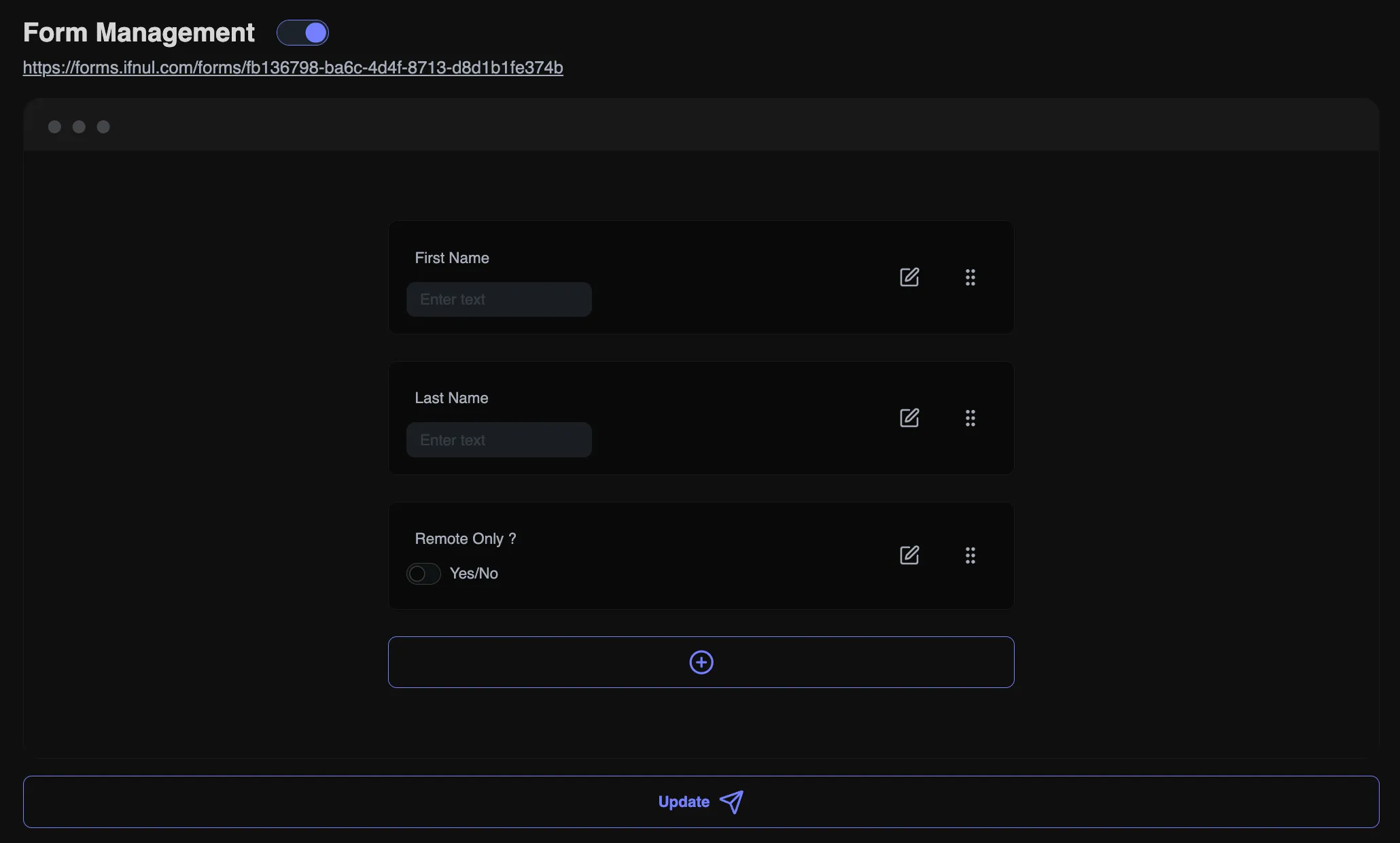
3. Publish and collect responses. Share the form and see responses automatically appear in your vault.

Form entries are auto-synced hourly, or manually via the refresh button or the “Sync forms” action.
You can publish one form for free under the Free Plan. For additional forms, choose between $6 per year or a one-time $10 lifetime deal.
Under the hood
- The plugin is TypeScript on the Obsidian API. It talks to the server with Obsidian’s own request helper and creates one markdown note per response. It works on desktop and mobile.
- The web app at forms.ifnul.com is Next.js with Supabase for accounts and Postgres, and Stripe for the paid plan. It hosts the form builder and the public forms, with field sanitization and anti-spam on submissions.
- Everything runs in Docker on my own Kubernetes cluster.
Accepted into the Obsidian community plugins in early 2025. I’m actively working on new features and improvements, and I’d love to hear your thoughts: feedback, feature requests, or any issues you encounter.